Platform  /  Sales & Front Counter
Front Counter — Order to Cash

The commercial front end of the same platform that runs the floor.

Quotes, sales orders, customers and purchasing live in one Front Counter — wired to the same inventory and production that stock your machines. Price the work, confirm the deadline, build it, buy for it and ship it without re-keying a thing.
mytoolbox · sales orders
Sales orders
Quote → cash
One unbroken thread
8-step
Order readiness checklist
1-click
Quote to sales order
Auto
POs from real demand
Order to cash

Six steps from price offer to paid

Each step hands clean data to the next. The quote becomes the order, the order becomes the work, the work pulls the purchasing — and shipping writes the traceability record.

01

Quote

Price vs cost

02

Sales Order

Confirm & commit

03

Production

Work orders

04

Purchase

Auto-PO supply

05

Ship

Allocate & pick

06

Invoice / Track

Lot & heat logged

How production fits in →

Quotes
mytoolbox · quotes
Quote lifecycle

Price the work before you commit to it

A quote is a formal price offer — nothing is reserved or built yet. Every line shows the part's unit cost next to your price, so you never quote below cost by accident.

  • Margin vs cost on every line — a margin badge flags below-cost pricing, and a live cost is computed on the fly rather than locked.
  • Target margin pricing — set a percentage and the app suggests a price with a one-click Use $… button.
  • Draft → Sent → Approved lifecycle — lines lock once sent, so the version the customer saw can't quietly change.
  • Convert to Order copies every line into a linked sales order and marks the quote Converted.
mytoolbox · sales orders
Sales orders

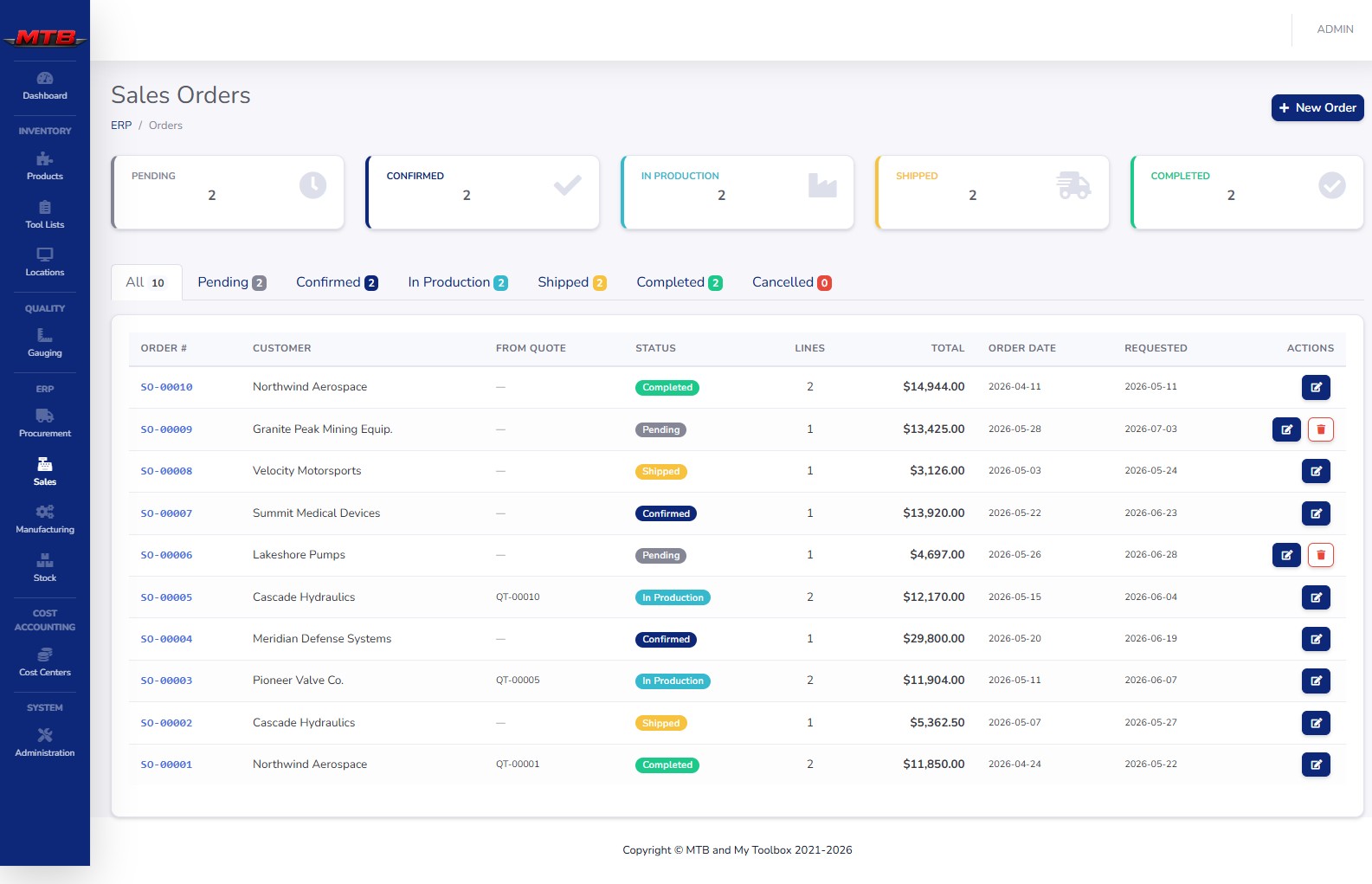
Sales orders that check the deadline first

A sales order is the real commitment: these goods, by this date. Before you confirm, MyToolBox runs the math on whether you can actually make it.

  • Deadline Feasibility Check — uses each part's production rate to estimate a completion date and warns before you over-promise.
  • Pending → Confirmed → In Production → Shipped → Completed — a clear status pipeline with Cancelled available along the way.
  • Order Readiness checklist — eight steps from "everything priced" to "shipped," with a progress bar on the order list so stuck orders stand out.
  • Generate Work Orders runs a Stock Availability Check — allocate stock you already have, or turn the shortfall into WO- production orders.
mytoolbox · customers
Customers

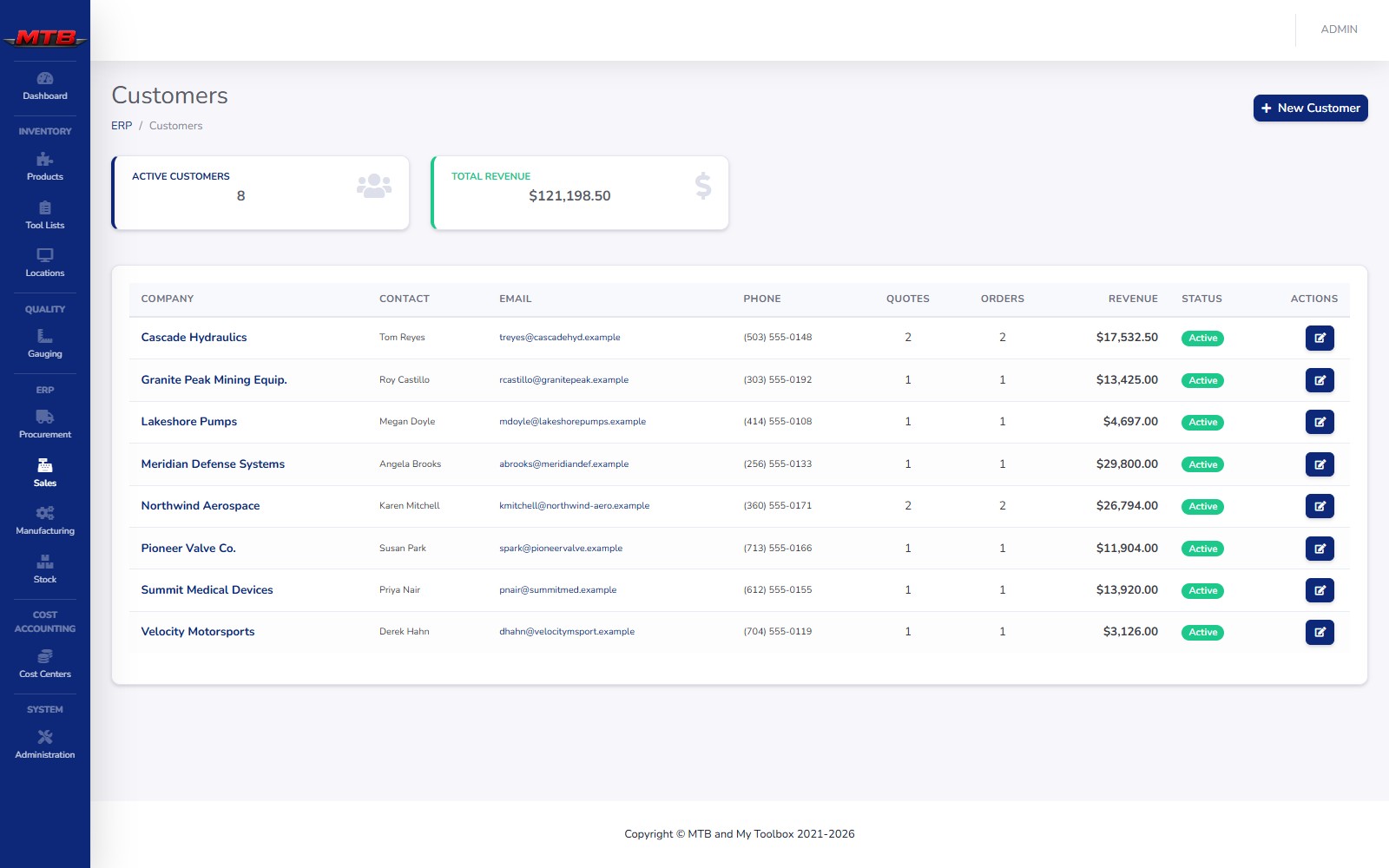
Customers, contacts and revenue in one record

Everyone you sell to lives on one page — company, main contact, open quotes and orders, and the revenue they've brought in. Fill in payment terms once and they print on every document.

  • Contacts that drive paperwork — pick a Primary contact and their name, email and phone flow everywhere; email recipients are chosen from this list.
  • Payment terms like Net 30 print automatically on quotes and orders.
  • Per-customer dashboard — total revenue, a monthly chart, recent quotes and orders, and a one-click New Quote pre-filled for them.
  • Archive, never delete — hide inactive accounts from pick lists while keeping all their history, and reactivate any time.
Purchasing

Buy for real demand — automatically

Purchase orders sit right next to sales in the Front Counter. The platform already knows what your open work orders consume, so it can do the buying math for you.
mytoolbox · purchase orders
Purchase orders

Auto-PO from material requirements

Tick the production orders to plan for and the system calculates gross requirement, on-hand, on-order and the resulting Net Need — then groups shortages into one draft PO per supplier.

  • MRP in three steps — pick orders, review requirements, confirm. Everything lands in Draft so nothing goes out unreviewed.
  • IMS-aware — bin items topped to MAX on a cycle are projected before declaring a shortage; an alert suggests a new max level if the schedule outruns the cycle.
  • Spot Buy & Rush flags — non-stock items become separate Spot Buy POs, and a Rush flag warns where supply days fall short of the lead time.
mytoolbox · purchase orders
Purchase order lifecycle

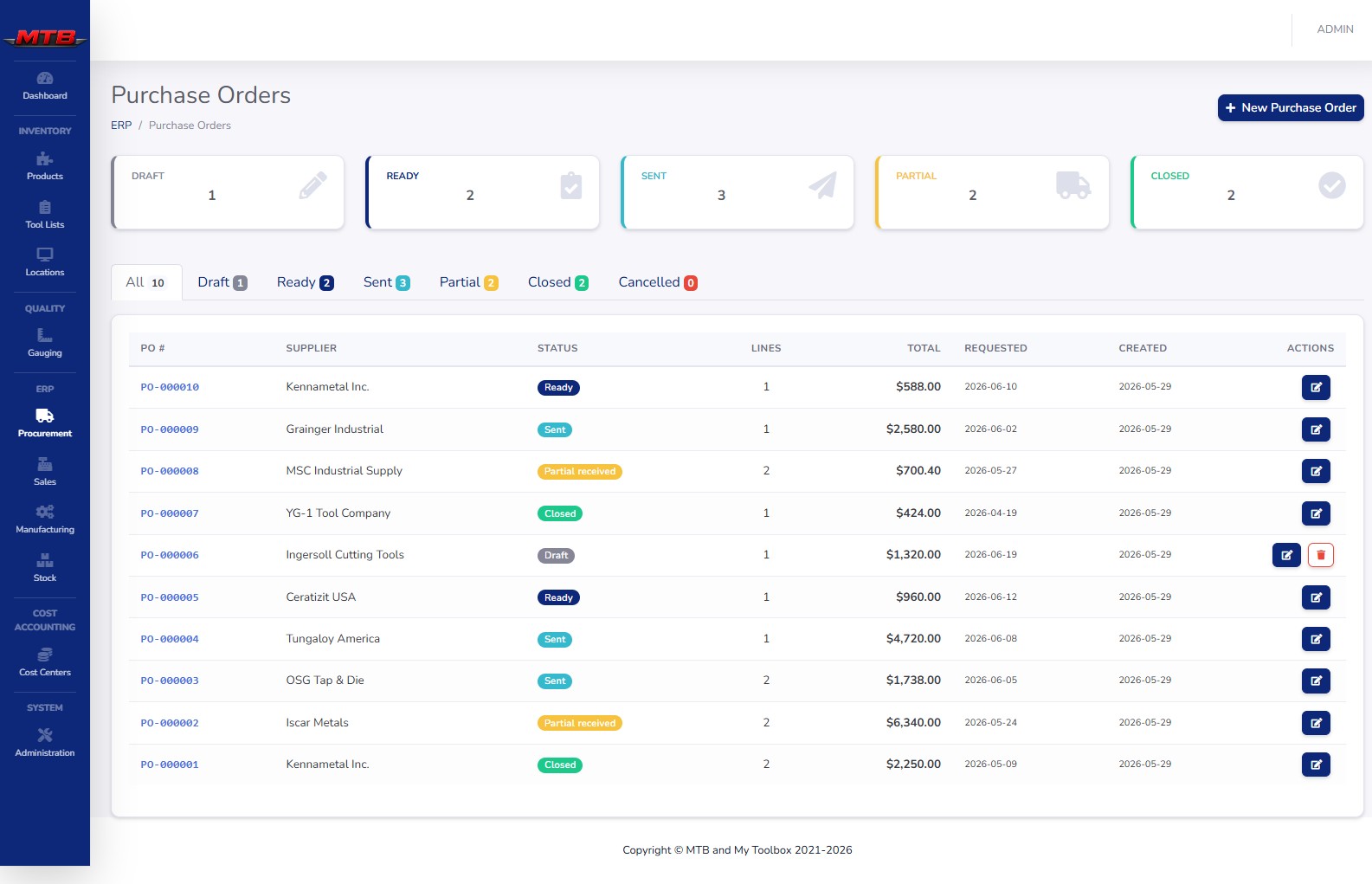
Suppliers, pricing and the full PO lifecycle

Every PO carries supplier part numbers and costs from a catalog that only shows what that supplier sells. Receiving puts material into stock and keeps your costing honest.

  • Six-status lifecycle — Draft, Ready, Sent, Partial received, Closed, Cancelled — with email-to-supplier that marks a Ready PO Sent automatically.
  • Receiving updates costing — last cost is set to the PO price and average cost recalculates as a weighted average, with heat and lot numbers logged for traceability.
  • Branded documents — Print, PDF and Email all use your company logo, colors and addresses straight from Company Info.
Auto-PO from demand Supplier catalog & part numbers Weighted-average costing Heat & lot traceability Emailed, branded POs
One platform

The counter wired to the floor

Sales doesn't live in a silo. The same demand that confirms an order drives production, and the same stock that ships an order is the inventory in your machines.

Why the Front Counter

No re-keying, no surprises, no silos

01

One source of truth

Customers, quotes, orders and POs share the inventory and costing that run the floor — change it once, it's right everywhere.

02

Margin you can see

Every quote line shows cost beside price. You know the margin before the customer does, not after the invoice.

03

Deadlines you can keep

Feasibility and readiness checks catch the over-promise and the shortfall before they become a late shipment.

04

Buying on autopilot

Auto-PO turns real production demand into draft purchase orders per supplier — no spreadsheets, no guesswork.

The Front Counter is the one screen for buying and selling — open POs, open orders, quotes still waiting on an answer, and a "needs attention" strip so nothing sits forgotten.
From the MyToolBox Front Counter
See it live

Run an order from quote to shipped

We'll price it with live margin, confirm the deadline, generate the work orders, auto-PO the material and ship it — in one sitting, on real data.