Platform  /  Smart Inventory & Vending
Module 01 — Inventory

Every tool, every bin, accounted for.

From cabinets to lockers to carousels and coils, model your entire crib and watch stock move in real time. MyToolBox turns a wall of drawers into a controlled, self-serve, always-counted inventory — one catalog, every location, down to the bin.
mytoolbox · product catalog
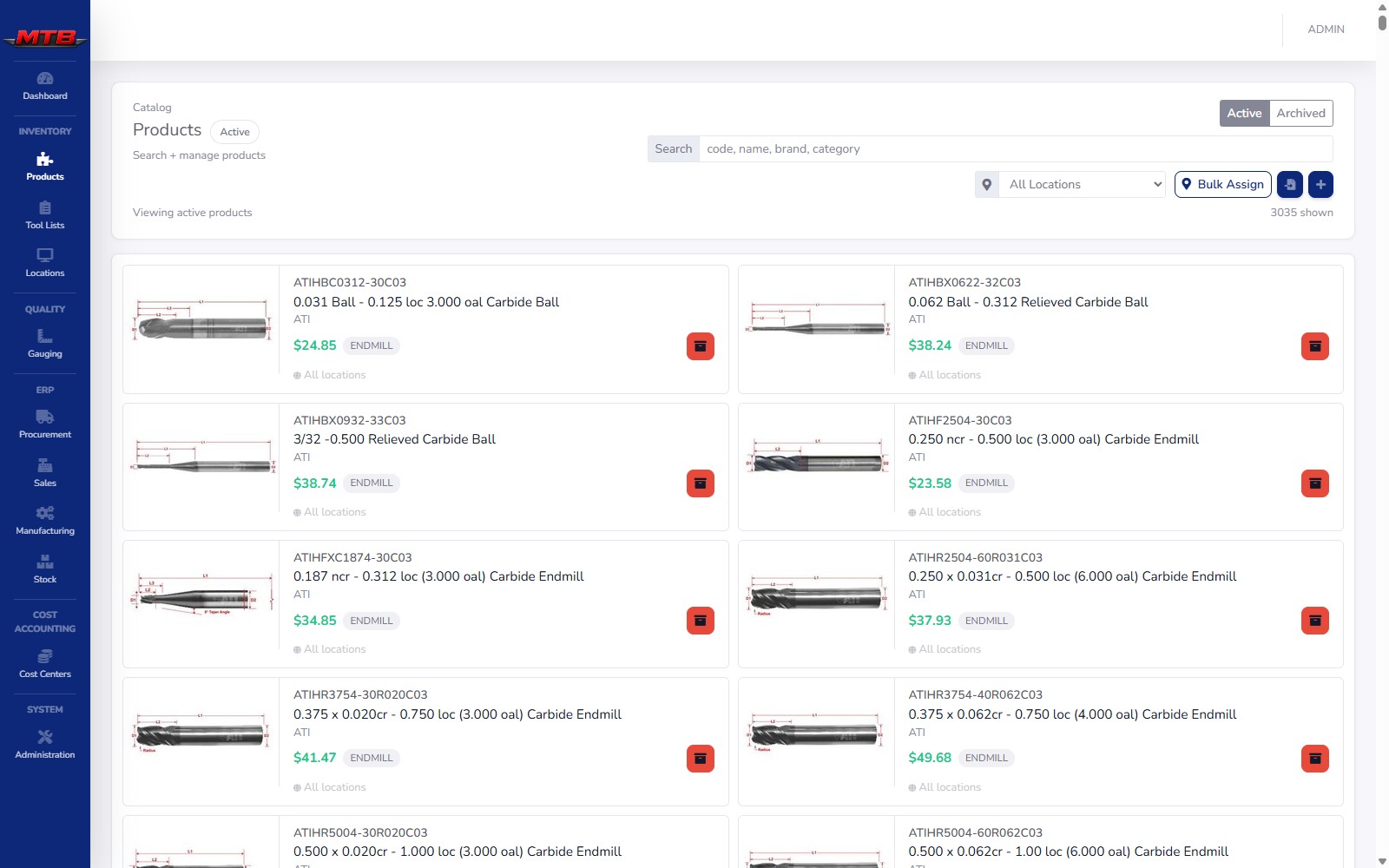
Product catalog
Unlimited
SKUs & locations
8
Machine types supported
Real-time
Bin-level stock
Min / max
Auto reorder alerts
The catalog

One product list. Six kinds of part.

Cutting tools, inserts, gloves, gauges, bar stock — they all live in one catalog, each tagged with a type that tells the system how it behaves and where it shows up.

mytoolbox · products
Product catalog grid

A catalog built for the crib

Every product carries a unique code, description, brand, selling price, preferred supplier and up to four categories. Save it once, then add an image, suppliers and per-location stock.

  • Product code, cost & brand — the code is locked once saved, so search, labels and reporting stay clean.
  • Search & filter matches code, name, brand and category as you type; the location dropdown narrows the grid to one area.
  • Archive, never delete — retired items keep their full history and move to the Archived view.
  • Bulk Assign & CSV import roll a whole shelf of products out to a new site in one pass.
Expendable / Standard Durable Spare / MRO Gauge / Instrument Raw Material Finished Good

The type decides where the item turns up — expendables in vending and tool lists, spares on the maintenance pages, instruments in gauging, raw materials in BOMs and costing. One catalog feeds the whole platform.
mytoolbox · suppliers
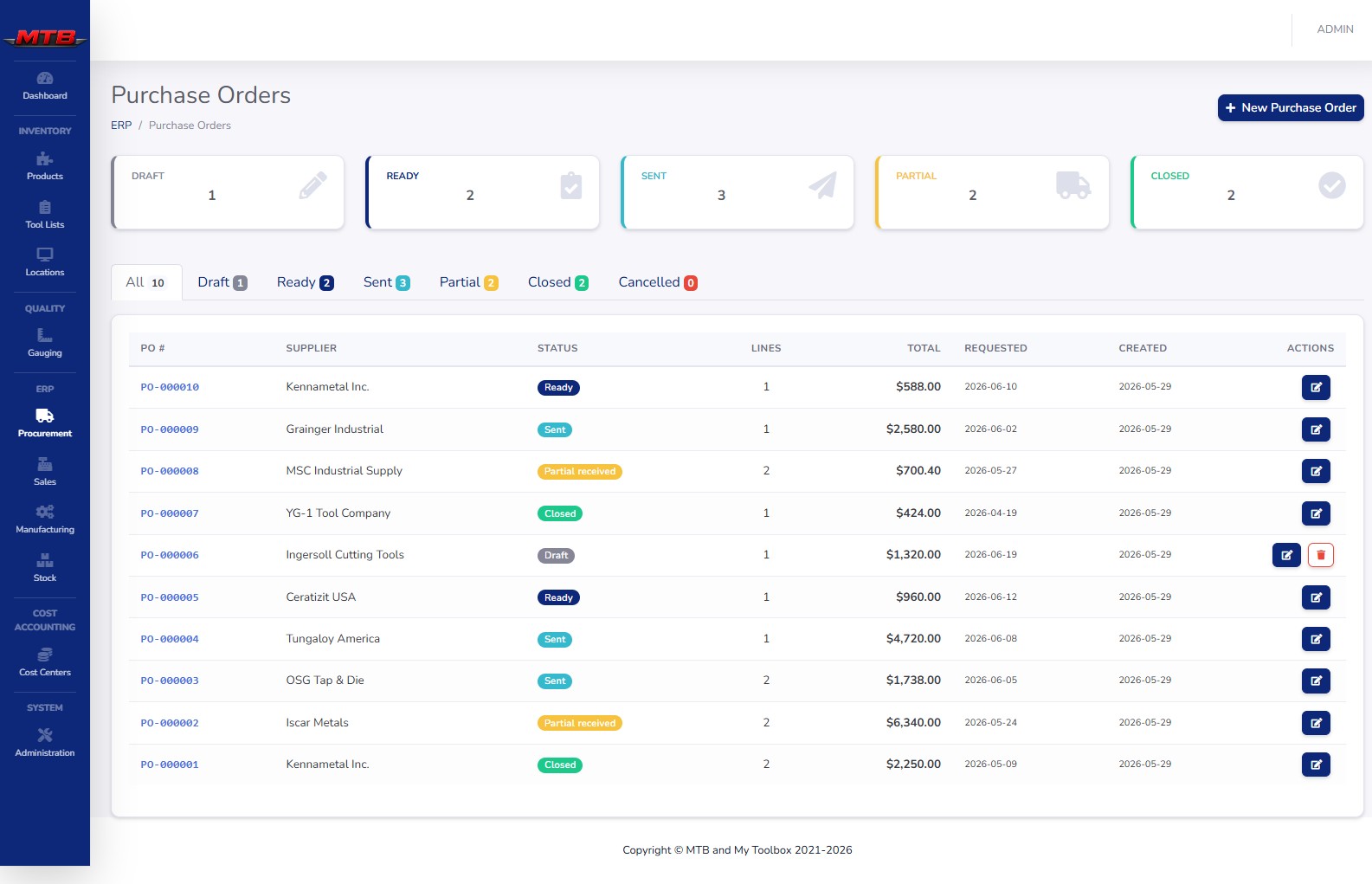
Purchase orders

Categories, suppliers & UOM

Categories are reusable labels that power the grid filters, the tool-list builder and reports. Suppliers are the companies you buy from — and a product can link to several of them.
  • Up to four categories per product — Category 1 required — driving filters across the catalog.
  • Supplier associations store each vendor's part number, unit cost, lead days, minimum order quantity and unit of measure.
  • One preferred supplier per product, with the cost and part number already on file when a PO is raised.
  • Lead times feed reorder decisions — purchasing reads straight from these links. See Manufacturing & ERP.
mytoolbox · tool lists
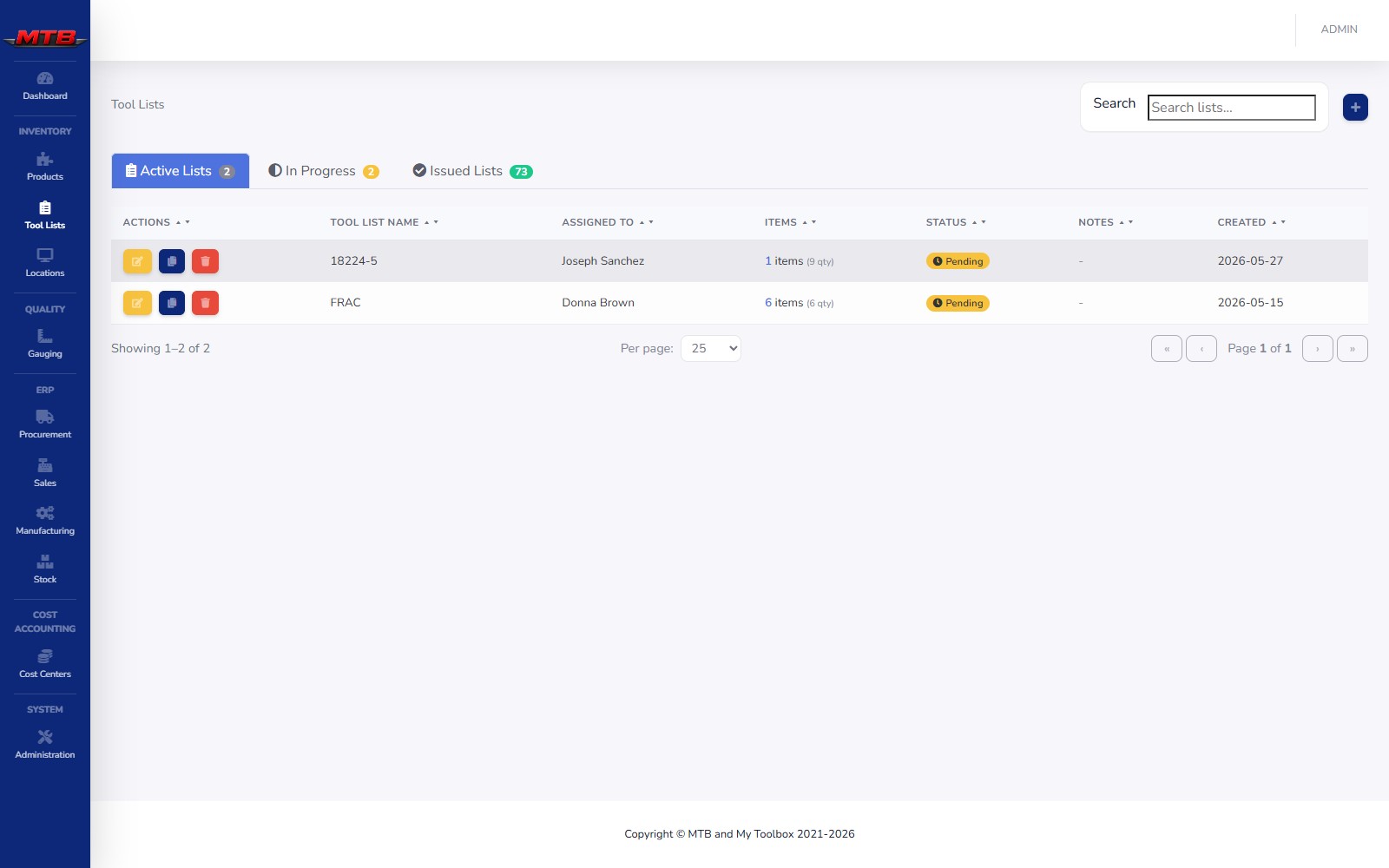
Tool lists

Tool lists: kits, ready to issue

A tool list is a pre-planned picking list — every product and quantity a job needs, built ahead of time so it issues from vending in one go instead of being hunted down one bin at a time.
  • Drag from the catalog, set pickup location and pieces needed; out-of-stock items are greyed out.
  • Pending → In Progress → Issued — items show Issued, Skipped, Failed or Pending as they move.
  • Clone a finished list in one click for jobs you run again and again.
  • Cost centers auto-apply at issue time, so the worker at the machine never types them in.

More on Tool Lists & Issuing

mytoolbox · build planner
Build Planner

The Build Planner: model any machine

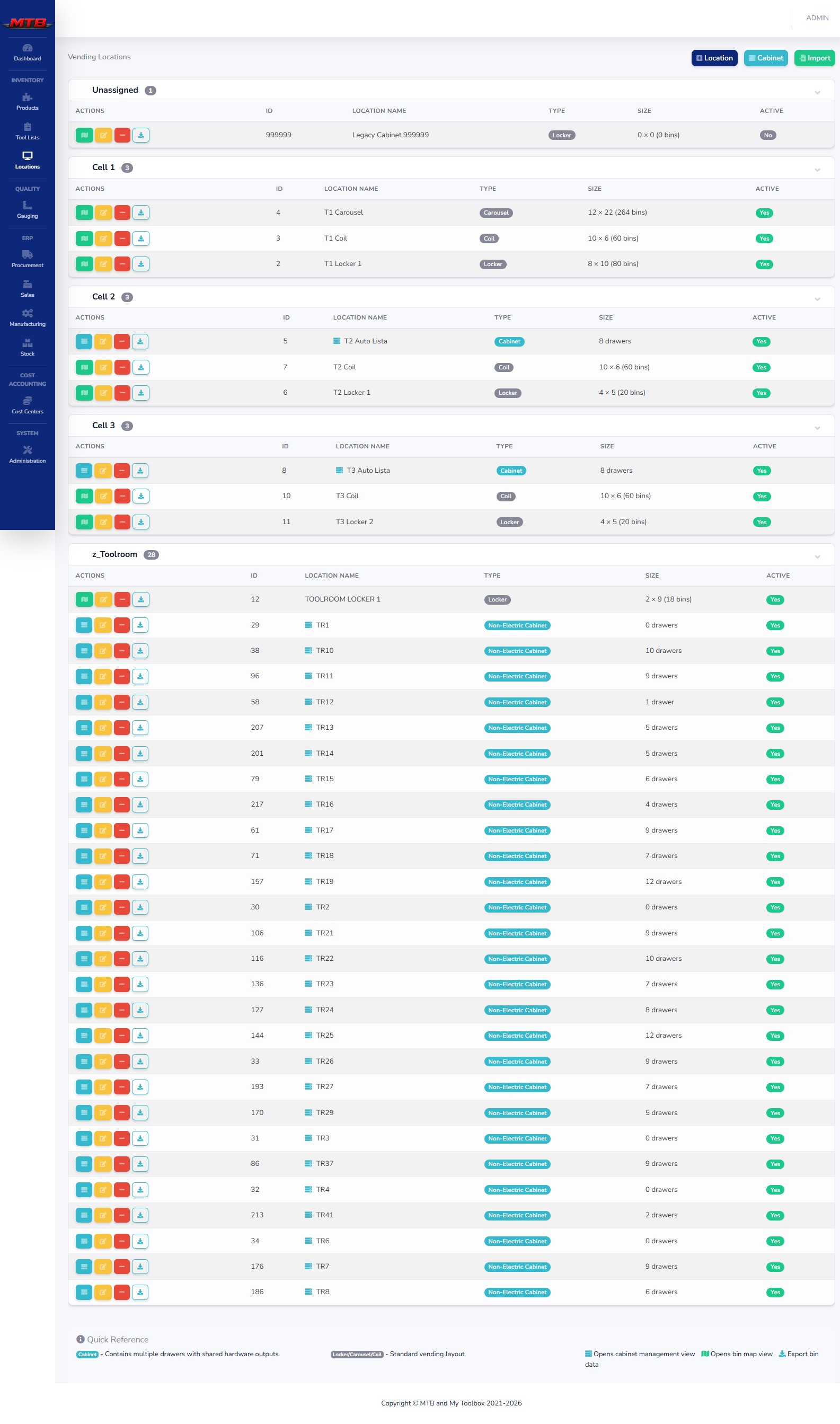
A vending location is anything on your floor that holds inventory in numbered bins — a cabinet, a locker bank, a carousel, a coil machine, or a plain non-electric shelf. The Build Planner lays them all out, grouped by location, and assigns products to bins.

  • Standard locations — locker, carousel, coil — are a simple grid: X columns across, Y rows down, one bin per cell.
  • Cabinets — Auto-Lista or Non-Electric — hold drawers, and each drawer has its own grid of bins.
  • Pre-shaped types like Coil V3 (locked 10 × 6) and Locker V3 match real hardware out of the box.
  • Auto-assign & Finished Goods switches link products to a location and let produced goods load straight in.
Auto-Lista Carousel Coil Machine Locker 1.0 / 2.0 Non-Electric Coil V3 Locker V3
The bin map

Stock health, at a glance

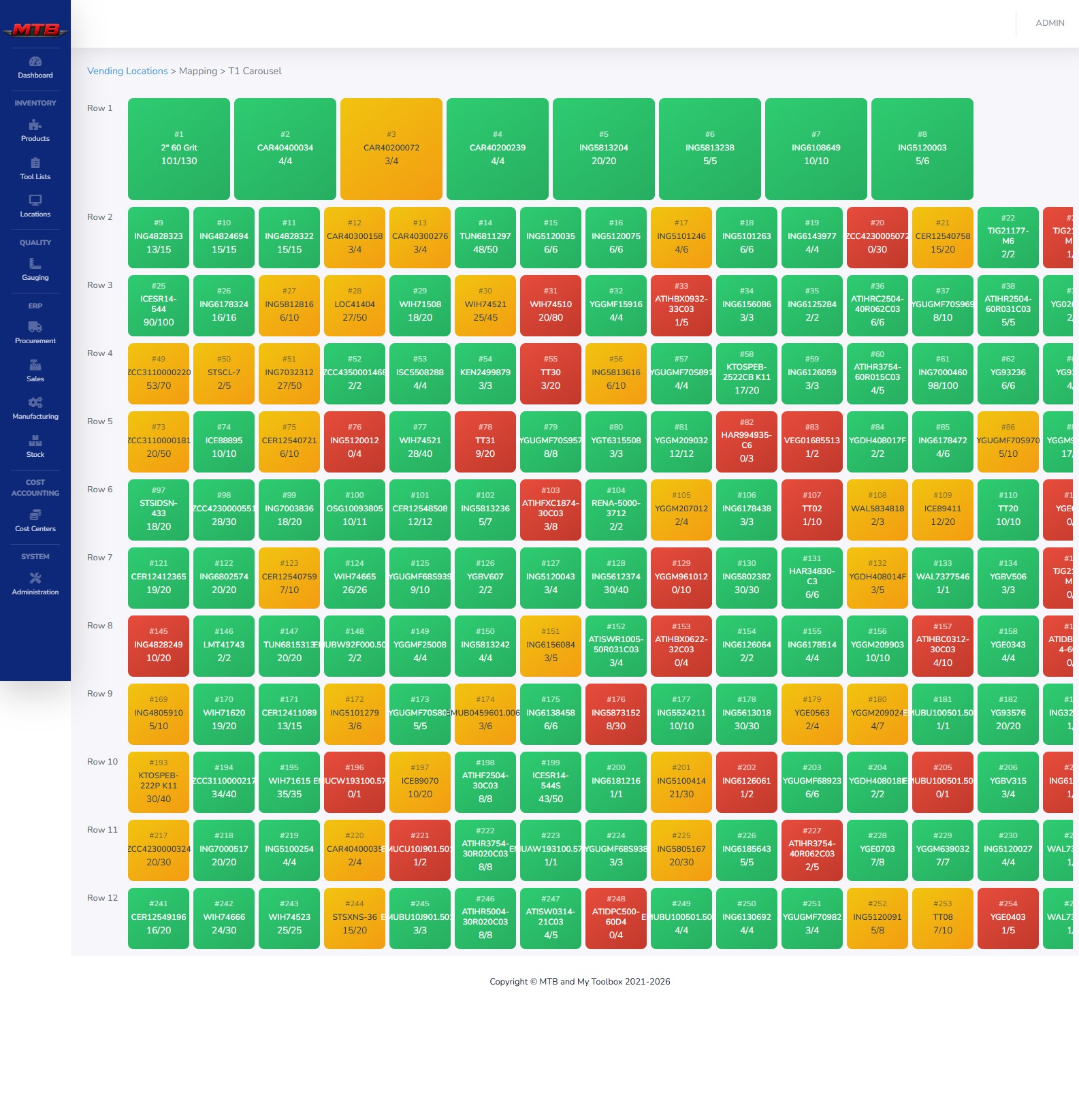
Open any machine and see a live, color-coded map — down to the individual bin, with product and quantity. Gray is empty, red is below minimum, yellow is getting low, green is well stocked.
mytoolbox · vending / bin map
Live color-coded bin map
Min

Reorder threshold

Drop below min and the bin turns red and shows up in shortage reporting — your trigger to refill or reorder.

Max

Bin capacity

Refill targets and the "how full is this bin" math both run off max, so the map reads true at a glance.

Qty

Issue quantity

How many units dispense per transaction — a box of 10 issued as a box. Lock it so workers can't change it.

Below minimum — reorder Getting low Well stocked Consignment flagging
mytoolbox · transactions
Vending transaction log

Every movement, on the record

Every time a bin's quantity changes, the system writes a row in the transaction log. This is your answer to "who took the last one, and when?"

  • Issue, Stock & Count plus hardware events — Door Opened, New Tag, NoProd — for a full reconcile.
  • Before / Qty / After on every row, with unit cost and total — the foundation of usage and spend reporting.
  • Filter as you type by product, user or device, with Today / This Week / This Month date presets.

See Reporting & Analytics

Devices & connections

The screen workers actually touch

The vending app runs on a device next to the machines — a kiosk, tablet or terminal. Two small setup pages tell the system which device controls which cabinet, and every transaction stamps the device it happened on.

Active Locations

Register each device with a name, description and active flag. The name is locked once created — so name it after where it lives.

UI/Cabinet Connections

Pair a device to one or more cabinets. A single kiosk often serves a whole bank of machines.

Clean audit trail

Because every transaction records its device, a tidy device list means a readable history end to end.

Want the full picture of the worker-facing terminal — login, search, issuing and the hardware behind it? See At the Machine and Hardware & Deployment.

Closing the loop

Min / max that reorders for you

Sensible min and max values on every bin aren't just for the colors. They feed purchasing directly: when stock drops below minimum, the item becomes a reorder candidate with the preferred supplier's cost and part number already on file.

  • Shortage to PO — below-min bins drive auto-purchase suggestions straight from the catalog.
  • Lead days & MOQ from supplier links shape the order before anyone touches it.
  • Demand pulls through — production and front-counter sales draw on the same stock. See Manufacturing and Sales.
mytoolbox · purchase orders
Auto-generated purchase orders
See it live

Put your crib on the map

We'll model one of your machines and show stock moving in real time — bin map, transaction log, auto-reorder and all.